

WiFi Mouse Pro
WiFi Mouse Pro is a high-performance mobile utility designed to transform your smartphone into a versatile remote input device for your computer. By establishing a secure connection over Wi-Fi, the app bridges the gap between mobile and desktop environments, allowing for seamless navigation and system control without the need for physical peripherals.
The app is engineered with a focus on low-latency interaction, ensuring that mouse movements and keyboard inputs are reflected on the desktop in real-time. It features a sophisticated input engine that supports standard trackpad gestures, media management, and advanced sensor-based navigation. Whether used for professional presentations, home media centres, or ergonomic desktop management, the app provides a premium, “lag-free” experience tailored for efficiency and modern UI/UX standards.
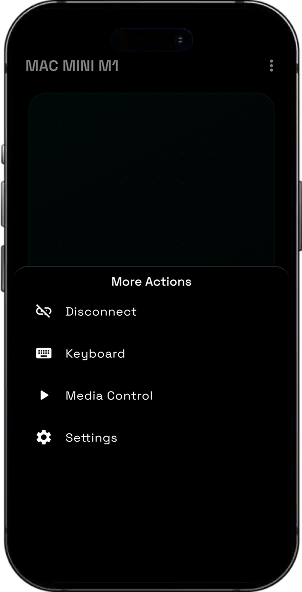
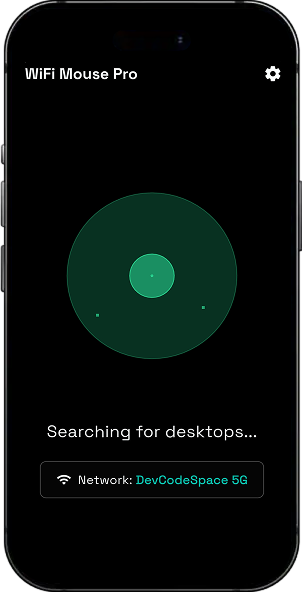
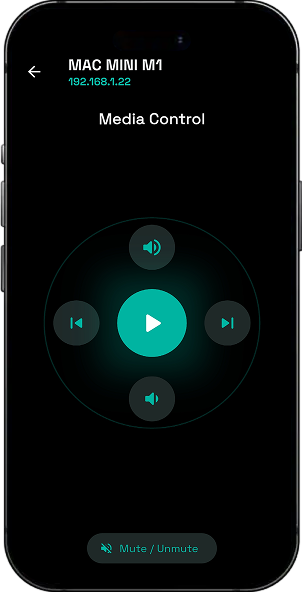
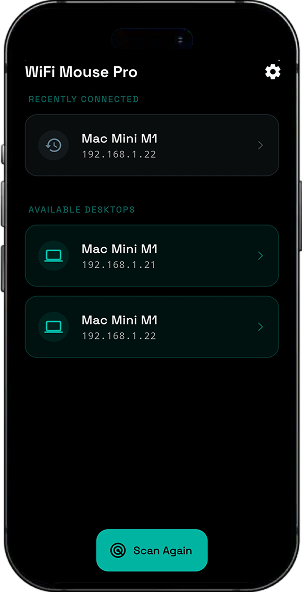
See It In Action
Real screens from the shipped product crafted for an intuitive, smooth, and delightful user experience.
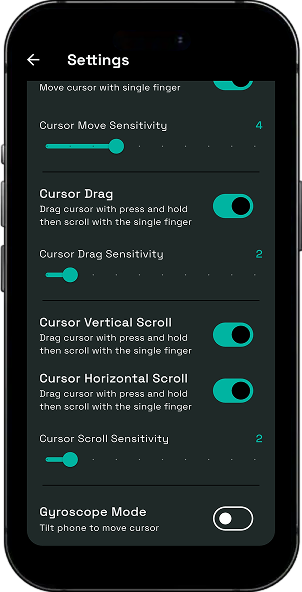
Key Features
Intelligent Cursor Control (Move and Drag) :
- Overview : Provides a high-precision virtual trackpad area to move the desktop cursor and perform drag-and-drop operations.
- Convenience : Mimics a physical laptop trackpad with support for tap-to-click and long-press dragging.
Seamless Content Scrolling :
- Overview : Includes dedicated scroll zones or multi-finger gestures to navigate through long documents and web pages.
- Usability : Enhances the browsing experience by providing smooth, kinetic scrolling from the mobile screen.
Remote Keyboard Input :
- Overview : Enables users to type text on their mobile device and transmit it directly to the active text field on the desktop.
- Efficiency : Perfect for entering URLs, passwords, or short notes without reaching for the physical keyboard.
Universal Media Remote :
- Overview : A dedicated control suite to play, pause, skip tracks, and adjust volume on the desktop.
- Workflow : Simplifies the management of music and video applications from across the room.
Gyroscope-Based Motion Control :
- Overview : Utilises the device’s internal gyroscope sensors to control the mouse cursor through physical air gestures.
- Experience : Offers an “Air Mouse” functionality, ideal for presentations and dynamic navigation.
Wi-Fi Connectivity and Auto-Discovery :
- Overview : Connects the mobile app to the desktop client over a shared local network via IP or QR pairing.
- Reliability : Maintains a stable, high-speed connection for consistent input performance.
Premium Minimalist UI :
- Overview : Features a modern, dark-themed interface with polished animations and haptic feedback.
- Presentation : Ensures the interface is non-intrusive and focuses on maximising the input surface area.
Third Party SDKs & Libraries
Carefully selected integrations powering this project's core functionality.
Have a similar idea?
Let's build it together.
From concept to launch we turn your vision into a world-class product. Get a free consultation today.